
Emails & Calendar
OpenSession sends transactional emails at key moments in the event lifecycle.
No email service to configure. The Cloudflare
send_email binding handles delivery
directly from the worker.Email types
| Email kind | Trigger | Contains |
| Submission confirmation | Speaker submits a talk | Talk title, event name, portal link |
| Decision: accepted | Organizer notifies from Accept Queue | Congratulations, next steps, portal link |
| Decision: declined | Organizer notifies from Decline Queue | Thank you message, event info |
| Task assigned | Talk accepted (auto-created tasks) | Task name, due date, portal link |
| Task reminder | Approaching due date (cron) | Task name, days remaining, portal link |
| Schedule invite | Session placed on agenda | ICS calendar attachment |
| Schedule update | Session moved on agenda | Updated ICS with bumped sequence |
| Schedule cancel | Session removed from agenda | ICS cancellation |
| Draft reminder | Incomplete CFP submission approaching close | Form link, days remaining |
Reply-to the organizer
Every email is sent from
notifications@opensession.dev, but the Reply-To header
is set to the event's contact email (the organizer's email by default, editable in
Settings). When a speaker hits reply, the message goes directly to the organizer.┌─────────────────────┐ ┌─────────────────────┐ │ OpenSession sends │ │ Speaker receives │ │ from: notifications│──────────────>│ email with ICS │ │ reply-to: organizer│ │ attachment │ └─────────────────────┘ └──────────┬──────────┘ │ │ Speaker replies v ┌─────────────────────┐ │ Reply goes to │ │ organizer@event.com│ └─────────────────────┘
Calendar invites (ICS)
When a session is placed on the agenda, OpenSession generates an RFC 5545 ICS
calendar invite and attaches it to the email. The invite:
- Uses a stable UID (
session-{id}@opensession.dev) so calendar apps recognize updates - Includes a SEQUENCE number that increments on every schedule change
- Sets METHOD:REQUEST for new invites and METHOD:CANCEL for removals
- Shows the session title, room, and time in the calendar event
Gmail, Outlook, and Apple Calendar display these as native calendar events with
accept/decline buttons. Moving a session on the agenda sends an updated invite;
removing it sends a cancellation.
The email outbox
Every outgoing email goes through an outbox in the database. This provides:
- Deduplication: each email has a unique key (e.g.
decision:{sessionId}:{speakerId}). Sending the same notification twice is impossible. - Retry logic: failed emails are retried automatically by the cron job with a bounded attempt count.
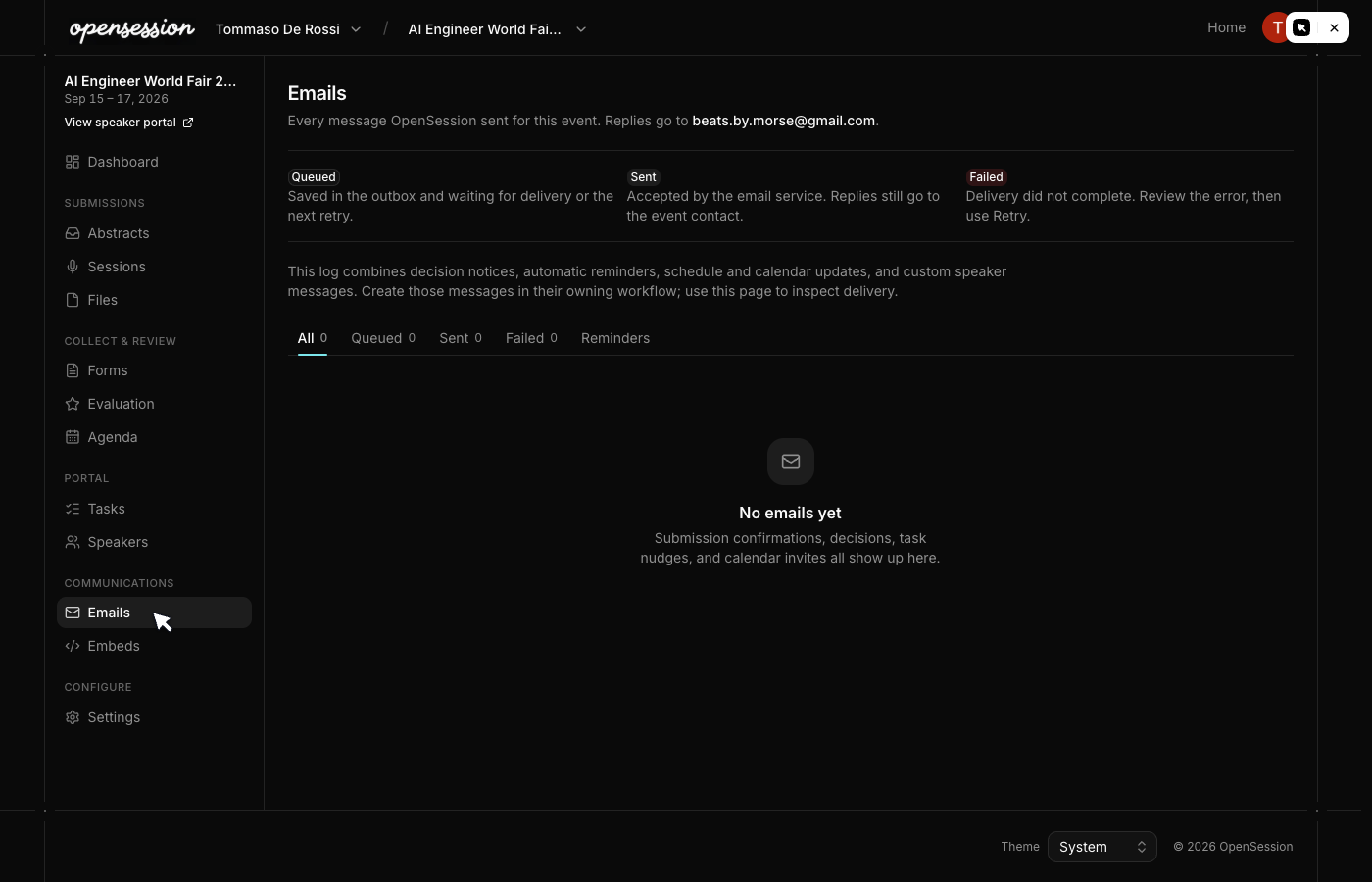
- Audit trail: the admin Emails page shows every message with status, timestamps, and delivery details.

Automatic reminders
The cron job (runs every 5 minutes) checks for:
| Reminder | When it fires |
| Task due in 3 days | 3 days before the task's due date |
| Task due tomorrow | 1 day before the task's due date |
| Task overdue | After the due date passes |
| Draft reminder (3 days) | 3 days before the CFP form closes |
| Draft reminder (1 day) | 1 day before the CFP form closes |
Each reminder is deduplicated by day in the outbox key, so speakers never receive
duplicate reminders on the same day.